
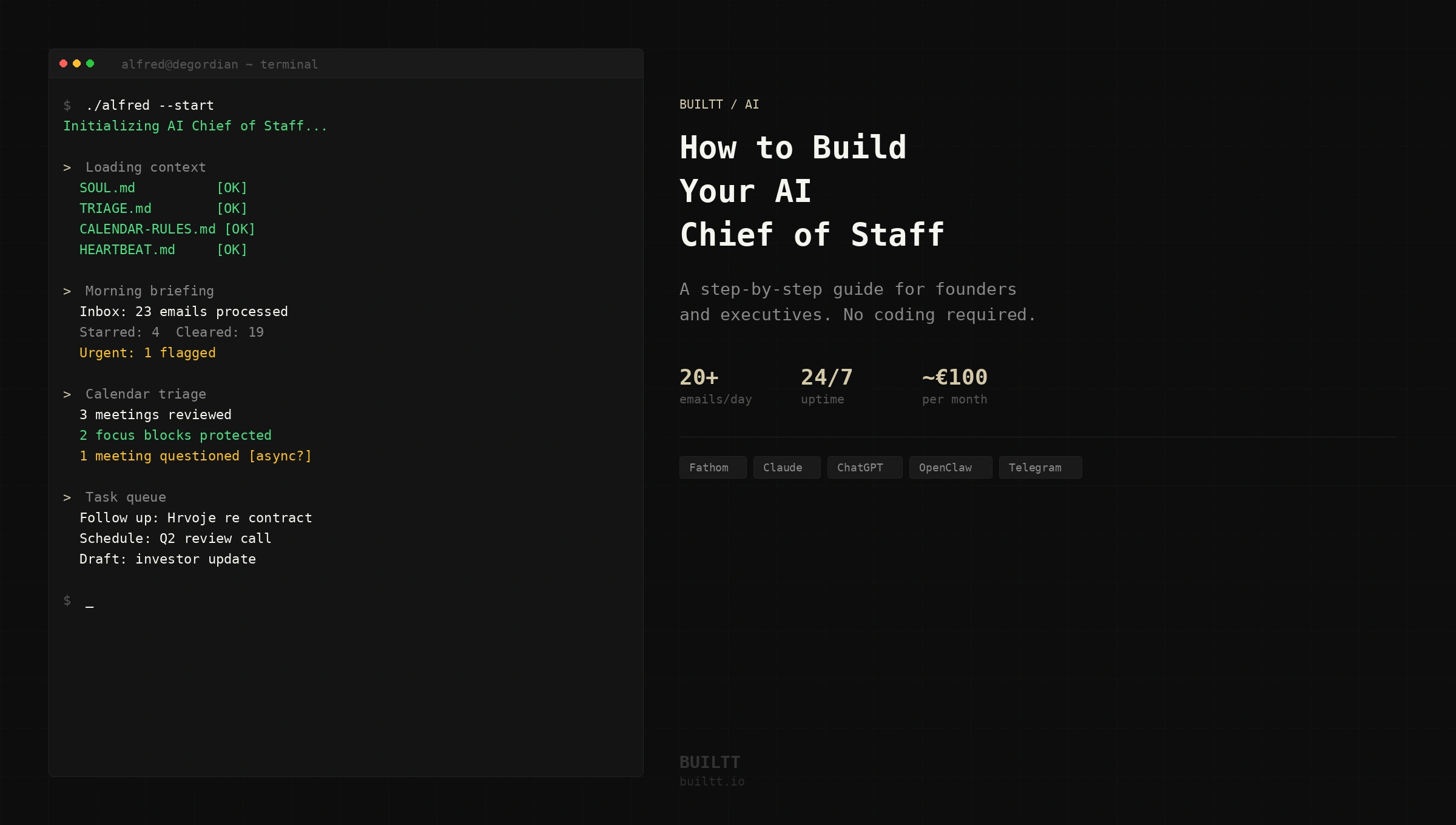
At Builtt and Degordian, we don’t just build AI for clients — we build it for ourselves first. This is the story of how we did it, what we learned, and how you can too.
The problem with how most founders manage their time
Every founder we know has the same problem. Not too little time — too much noise.
Emails that don’t need a response sitting next to ones that do. Calendar invites with no agenda. Tasks falling through the cracks because there’s no system to catch them. Meetings that could have been a message. By the time you’ve sorted through it all, half the morning is gone.
The instinct is to hire someone to handle it. But a great EA costs €40,000–80,000 a year, takes months to onboard, and still needs your constant attention to work well. For most founders — especially those running lean — it’s not the right move at the right time.
We started asking a different question: what if you could build the system instead of hiring for it?
What we built — and why
Earlier this year, Daniel Ackermann — CEO of Degordian and Luppa — started building something for himself. Not a product. Not a client project. A personal AI agent that would handle the coordination layer of his work so he could focus on the parts only he can do.
The agent handles his inbox — triaging 20+ emails autonomously every day, starring what matters, clearing the noise. It manages his calendar — blocking focus time, questioning unnecessary meetings, preparing context before every call. It tracks tasks, sends morning briefings, and acts as a 24/7 coordination layer between him and everyone he works with.
It took a few months to build properly. It is still being refined. But it now runs continuously — and the difference in how Daniel starts his day is significant enough that he wanted to share exactly how he did it.
The result is a detailed, step-by-step guide he wrote himself — for founders and executives who want to build the same system, even without a technical background.
→ Read and download the guide here
What an AI Chief of Staff actually is (and isn’t)
Before we get into how to build one, it’s worth being precise about what this is — because most people imagine a chatbot.
This is not a chatbot. A chatbot responds when you talk to it. An AI Chief of Staff acts on its own — on a schedule, across your email, calendar, and task system — without you triggering it. It’s proactive, not reactive. It runs while you sleep.
The distinction matters because it changes what you can delegate. You’re not asking it questions. You’re giving it rules, access, and responsibility — and it executes.
Here’s what a well-built AI Chief of Staff does on a daily basis:
Morning briefing
Before you open your laptop, you get a structured summary — inbox highlights, calendar for the day, open tasks, anything urgent that came in overnight. You start with context instead of chaos.
Email triage
Every incoming email gets categorized: important or not. Important emails get flagged and stay flagged until acted on. Everything else is cleared. You only see what actually needs your attention.
Calendar management
Meeting invitations get reviewed before you ever see them. Internal meetings get questioned — does this need to be a meeting, or can it be handled async? Focus time gets protected automatically.
Task tracking
Tasks are assigned to the agent via a single channel. It tracks them, reminds you, and executes the ones it owns — follow-ups, meeting scheduling, outreach — without waiting to be asked.
Heartbeat
Every 30 minutes, a check runs: did something urgent arrive? Is there a meeting starting soon? Did a key contact reply? You stay informed without constantly checking anything.
This is a system that runs in the background of your work — quietly handling coordination so you can focus on the parts that require judgment.
The key insight: you write rules, not code
This is what surprises most people when they first encounter this kind of setup.
The agent’s intelligence doesn’t live in code. It lives in plain text files — markdown files that you write yourself, in plain English. Each file covers one area of behavior: how to handle emails, what your calendar rules are, how to write on your behalf.
Files like:
- SOUL.md — the agent’s identity, tone of voice, and what it can and cannot do autonomously
- TRIAGE.md — email rules: what gets flagged, what gets cleared, who always gets a fast reply
- CALENDAR-RULES.md — meeting acceptance rules, focus time logic, how to handle internal vs external invitations
- TASKS.md — the active task store: everything the agent is tracking and executing
- HEARTBEAT.md — what the agent checks every 30 minutes and in what order
You write these. You update them. When something isn’t working, you edit the file — not the code.
This is why non-technical founders can own this system. The hard part isn’t writing code — it’s thinking clearly about how you work. If you can articulate your rules, you can run this.
What the setup actually requires
This is not a weekend project. But it’s also not as far out of reach as most people assume. Here’s what you’re looking at:
Budget (monthly)
- VPS server (Hetzner): ~€8/month
- Google Workspace (dedicated agent account): ~€10–20/month
- AI model (GPT-5.5 via Codex Pro): ~€82/month
- OpenClaw (agent runtime): free, open-source
- Total: roughly €100/month
Time
- Setup: 2–4 weeks of focused effort
- Maintenance: light and ongoing — you tune the rules as the agent runs
The founders who get the most out of this are the ones willing to invest the first month seriously — and then let it run.
The stack
These are the tools that make the system work:
AI model — the brain
Daniel started with Claude Sonnet, moved through several options, and landed on GPT-5.5 via Codex Pro. The selection criteria: quality of reasoning, language support, and cost at scale. For most use cases, the main frontier models — GPT-4o, Claude, Gemini — all work. Choose based on your language requirements and budget.
OpenClaw — the runtime
This is what keeps the agent running 24/7. It handles scheduling, message routing, cron jobs, and session management. Without it, you have an AI that responds when you talk to it. With it, you have an agent that acts on its own. It’s free and open-source.
VPS — the always-on server
Your agent needs a machine that never sleeps. A Hetzner VPS at €8/month is reliable, cheap, and simple. You set it up once and rarely touch it again.
Telegram — the command center
Where you communicate with the agent, approve actions, assign tasks, and receive updates. The reason to use a platform you don’t already use personally: when it pings, it’s your agent. Nothing else.
Google Workspace (dedicated account)
The agent needs its own identity — its own email address, its own presence. Every time it communicates with anyone on your behalf, it needs to be immediately clear this is an AI assistant, not you. This removes ambiguity and sets the right expectations from day one.
Claude Code — the development environment
Anthropic’s AI coding assistant, running in your terminal. This is what you use to build, debug, and improve your agent over time. Not a one-time setup tool — an ongoing development partner. You describe what you want in plain language; Claude Code figures out the implementation.
The calibration phase — what to expect
The first four to six weeks after launch are the calibration phase. Expect imperfection. Plan for it.
Weeks 1–2
The agent makes mistakes. It flags emails it shouldn’t, misses ones it should catch, asks for approval on things that don’t need it. This is normal. Your job is to observe and note — not fix everything at once.
Weeks 3–4
You take your list of mistakes and translate each one into a rule update. You’re not debugging code — you’re editing plain text files. Each update makes the agent sharper.
Month 2
The mistake rate drops sharply. You start trusting it enough to stop double-checking everything.
Month 3+
The agent now has rich context, refined rules, and a track record. You stop thinking about it as a system you’re managing and start thinking of it as someone you work with.
The right mindset: This is not a product you install and it works. It’s a system you train. The investment you make in the first month directly determines the quality of what you have in month six.
This isn’t just for executives
Everything we’ve described covers one specific use case: a personal Chief of Staff for a busy founder or executive. But the same architecture applies to dozens of other business problems.
- An invoicing agent that generates, sends, and follows up on invoices — what used to take 15 minutes of admin takes 30 seconds of dictation.
- A sales rep agent that processes meetings in real time — after each call, the rep dictates a quick summary, and the agent updates the CRM, logs notes, sets follow-up tasks, and sends the client email before they’ve arrived at their next meeting.
- An HR agent that checks in with employees throughout their lifecycle — onboarding, 30-day, 90-day — and surfaces structured feedback without running manual surveys.
- A collection agent that monitors unpaid invoices, tracks due dates, and sends reminders on a schedule — escalating to a human only when the sequence hasn’t worked.
The common thread: repetitive coordination, communication, and information processing that follows rules. The question isn’t whether your business has use cases for an agent. It does. The question is where to start.
The guide
Daniel wrote this for people who want to build the same system he built — without needing a technical background to do it.
It covers everything: the stack, the setup, the security model, the instruction files, the calibration phase, and the mindset. Step by step, in plain language, with specific commands and decisions explained.
It’s free. No catch.
→ Read and download: The Guide: How to Build Your AI Chief of Staff
If you’re a founder who’s been thinking about this — this is where to start.
Need help building agents for your business?
The guide covers how to build a personal agent for yourself. If you’re thinking bigger — AI agents for your team, your workflows, or your product — that’s what we do at Builtt.
We’ve been building AI-powered features into products and workflows for years. Now it’s a dedicated service.
Have a question about the guide or about building AI agents for your business? Get in touch →